Review drawings with your team
and your agents.
Kestrel opens your drawings in the browser. Your team pins comments to exact coordinates, tracks every revision, and your AI agents read and mark up the same sheet.
Accounts are set up by us while we onboard teams.
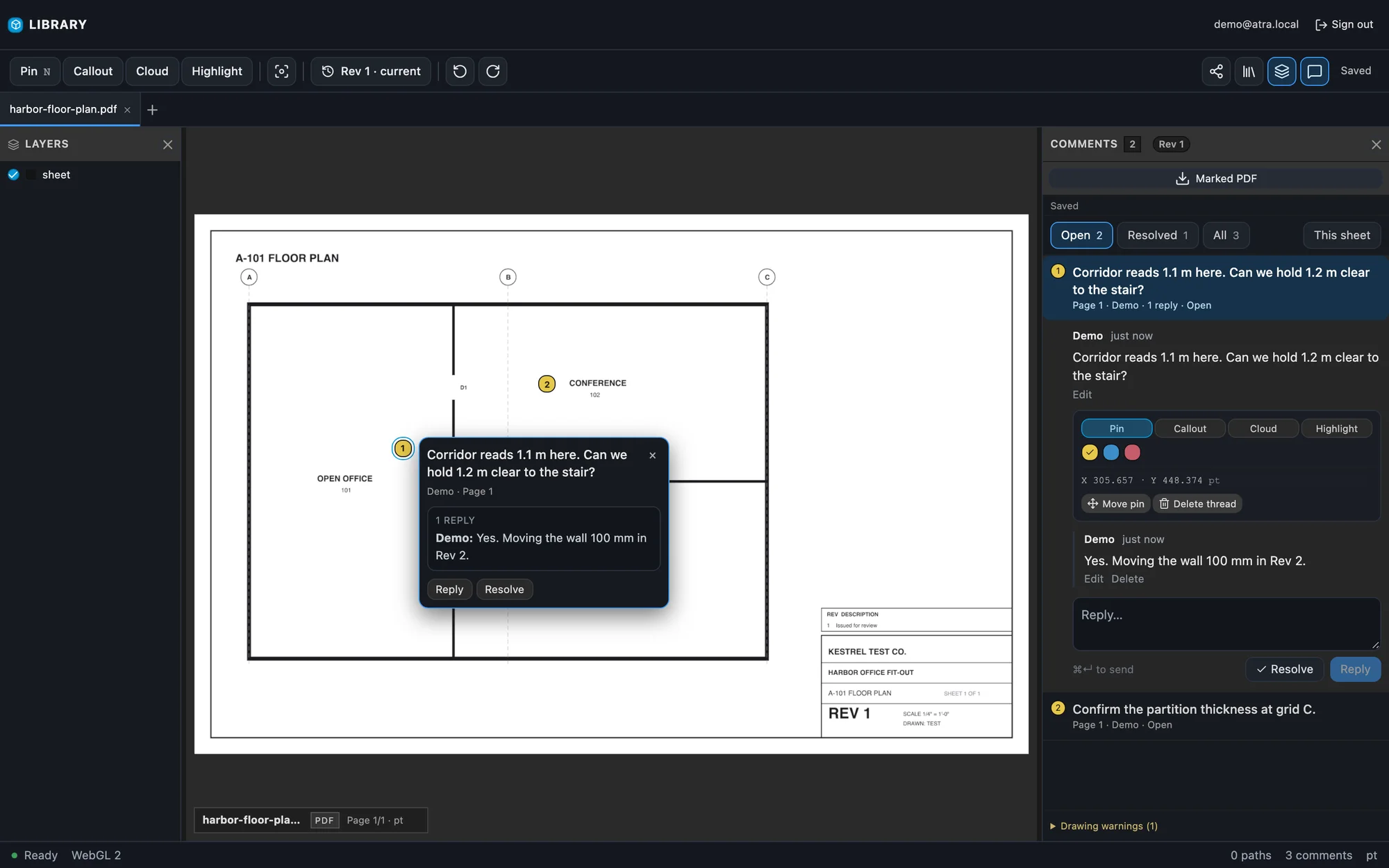
Put the comment where the problem is.
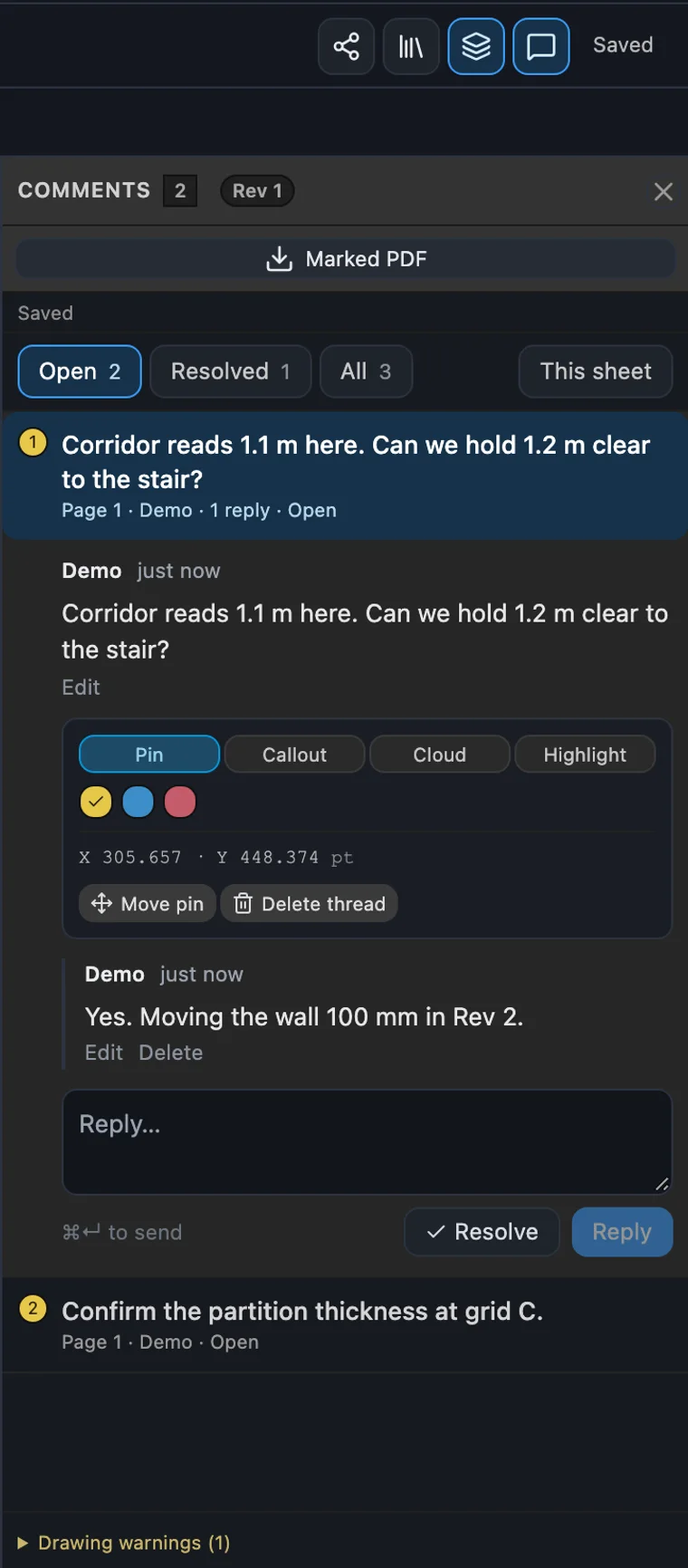
Click the sheet to drop a pin. It stays on that exact spot through pan, zoom and rotation, on the page it belongs to. The side panel is the index; the sheet stays still while you read.
Pins keep their coordinates
Comments are stored in the drawing's own coordinates, with the page number. Zoom or rotate and the pin stays put.
Threads, replies, resolve
Reply in place, resolve when it's done, reopen if it isn't. Filter by Open, Resolved or This sheet.
Pin, callout, cloud, highlight
Four ways to mark the sheet, in three colors, with exact coordinates shown for each pin.
Marked-up copy on demand
Download the sheet with every comment stamped onto it, for the person who just wants the file.
Share a view, not your account
A view-only link opens the sheet and its comments with no login. Turn it off and the next request is refused.
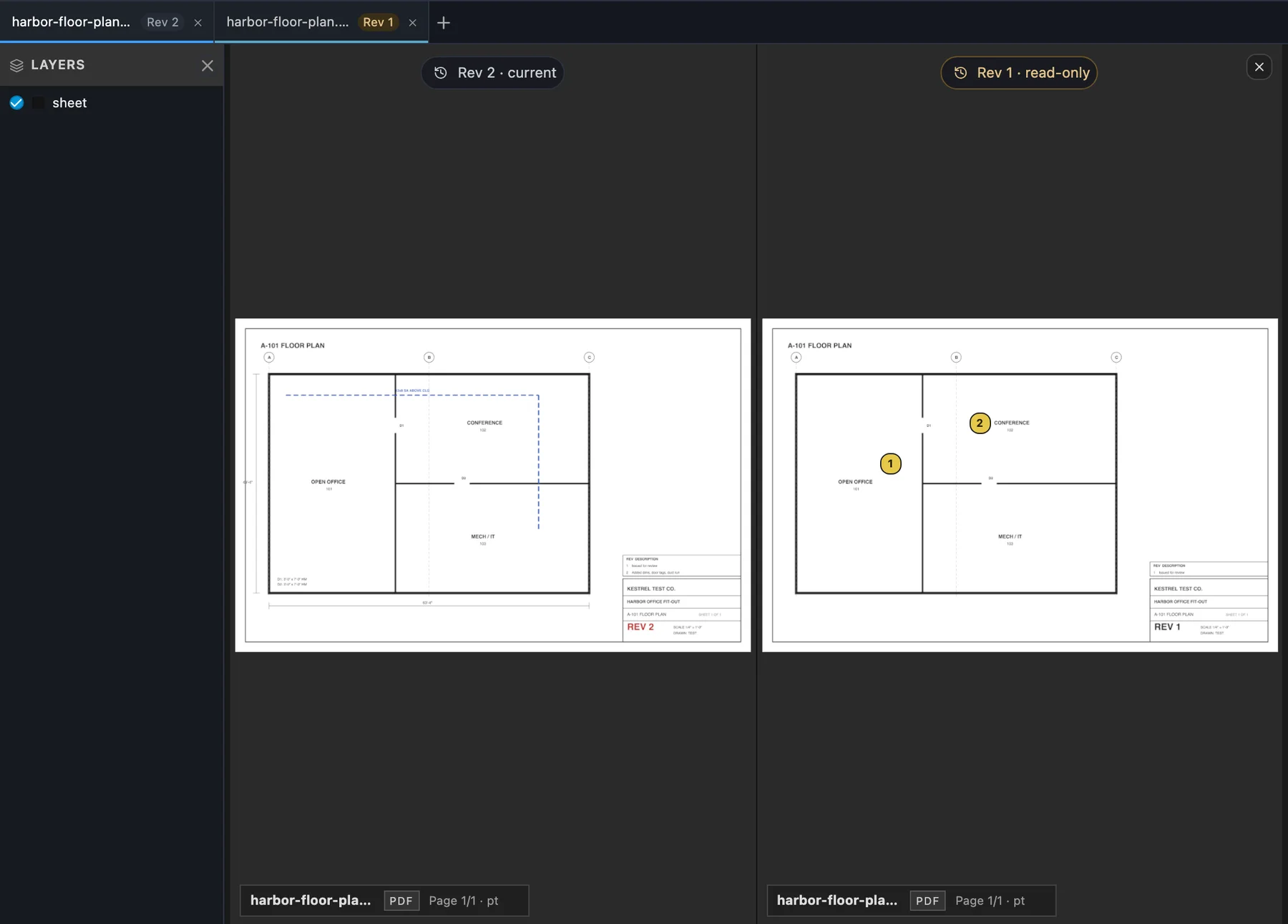
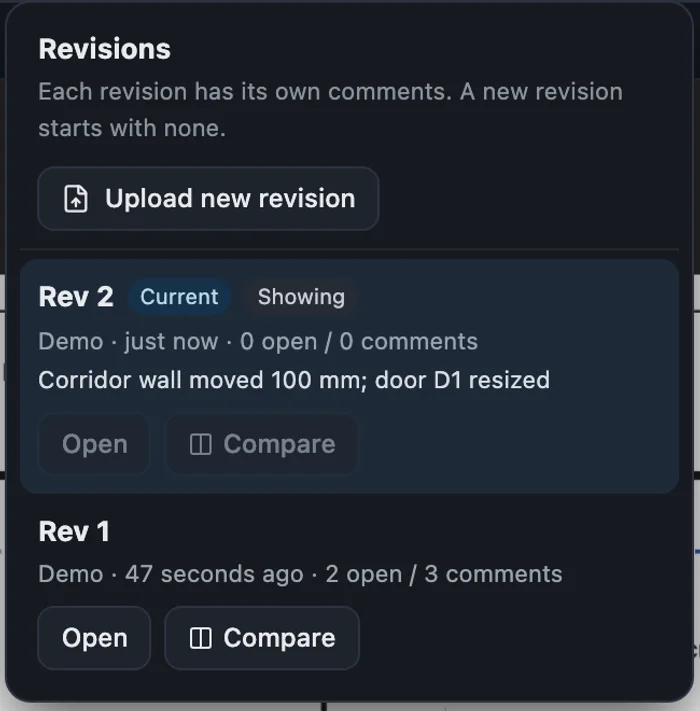
Rev 2 is current. Rev 1 is still one click away.
Upload a new version straight from the sheet you have open. It becomes the current revision, with its own comments, and the earlier ones stay in the menu.
Upload from the sheet you have open
A new file becomes Rev 2 of that drawing, not a duplicate in your library. Add a "what changed" line if you like.
Comments belong to their revision
Each revision has its own comments, and a new one starts with none. You never read feedback on a wall that no longer exists.
Compare any two
Open an earlier revision beside the current one, read-only, with its thread still there.
Your agent can read the sheet, then mark it.
Kestrel is a remote MCP server. Connect Claude, ChatGPT, Cursor or Codex with OAuth and they work from the same library you do: search it, read pages as text and as images, and leave markup you can see in the viewer.
you    Check the egress doors on A-201 against the schedule.

agent  → search_library   "A-201"
         1 sheet · Level 2 floor plan · Rev 2
       → get_sheet        4 pages, indexed
       → get_page_text    page 3 · door schedule
       → get_page_image   page 1 · plan
       → add_markup       page 1 · pin 3 at door 104
       → focus_note       your viewer jumps to it

agent  Door 104 reads 30 in clear on the schedule. Egress
       minimum is 32 in. I pinned it on the plan.
search_libraryFind sheets by name across your library.get_page_textIndexed text and annotations for any page.get_page_imageThe rendered page itself, so the agent can look at the plan and not only its text.add_markupPin a comment at page coordinates. It shows up in your viewer like any other comment.get_open_tabKnow which drawing you have open right now, and follow along.
Scoped OAuth, PKCE required. Endpoint https://kestrelviewer.com/mcp
One library for the firm. One for you.
Keep personal work separate from the organization's. Invite people by email, put sheets in folders, and see what others have shared with you in one tab.
Organization libraries
Owner and engineer seats, with the organization's name and logo on its library.
Folders you can drag into
Move sheets by dragging, or browse into a folder. Sort by project the way you already name them.
Shared with Me
What your colleagues sent you has its own tab, apart from your own files.
Panels that stay where you put them
Library, layers and comments resize like a desktop app, and your open tabs come back next visit.
Bring a real set of drawings. We'll set up your team.
Tell us how many people review, and which agents you use. We'll create your accounts and connect your agents.
Contact sales sales@kestrelviewer.com